Related Links
NovaBACKUP
With NovaBACKUP, MSPs can offer backup and disaster recovery services to companies across several vertical markets within strict regulatory compliance requirements. Connect to NovaBACKUP from your IDrive® e2 account by creating Access Keys.
- Download and install NovaBACKUP.
- Launch the application and log in to the NovaBACKUP client.
-
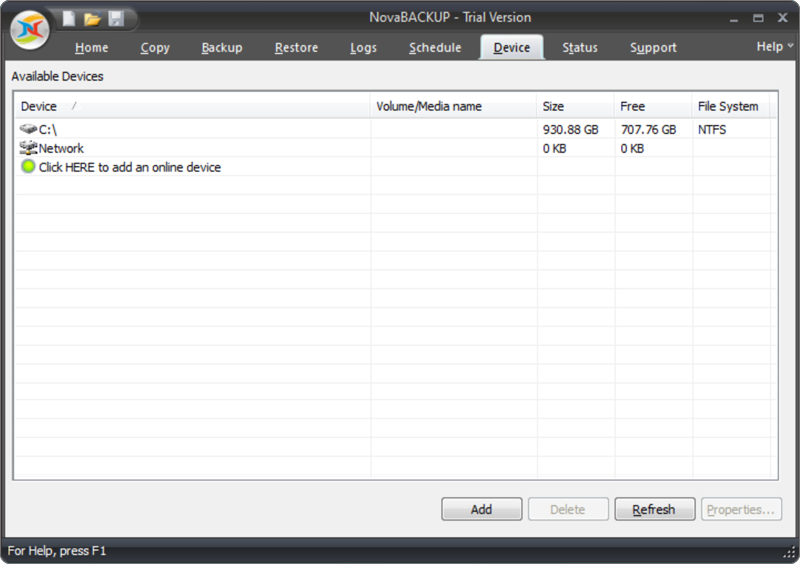
Navigate to the Device tab and click Add.
-
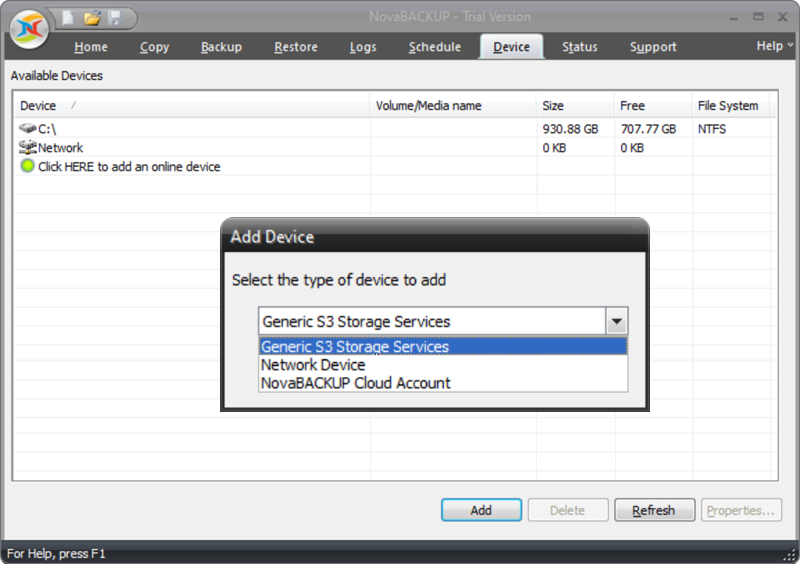
Select Generic S3 Storage Services.
-
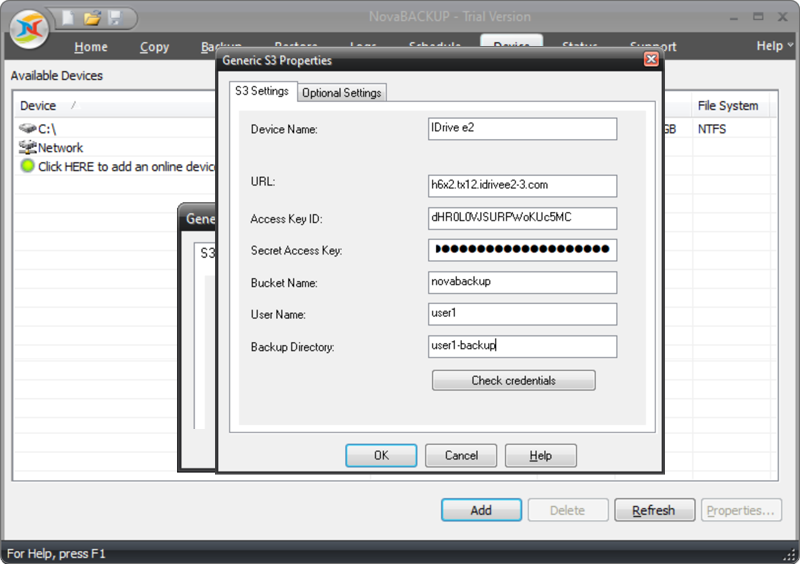
Enter the access key ID and other details obtained from the Access Keys section of the IDrive® e2 console. Click OK.
-
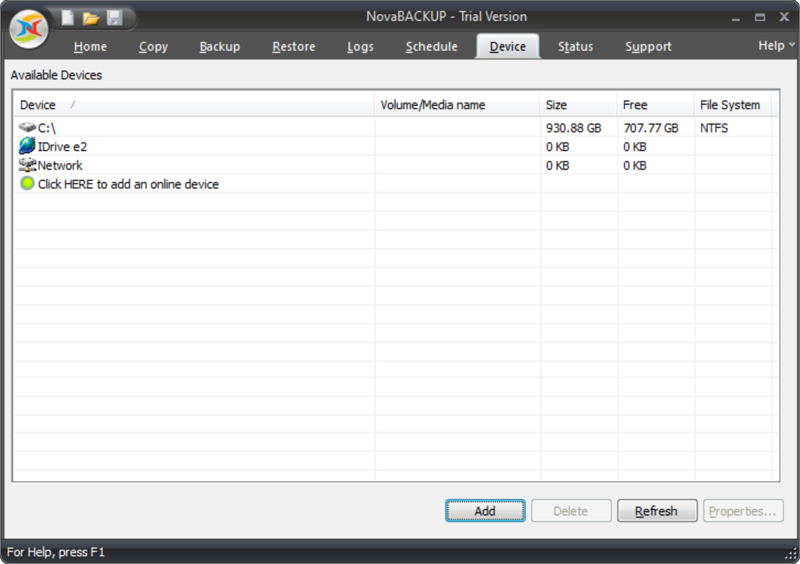
All the newly added storage space will be displayed in the Device tab and cloud object storage will be ready for backup.
-
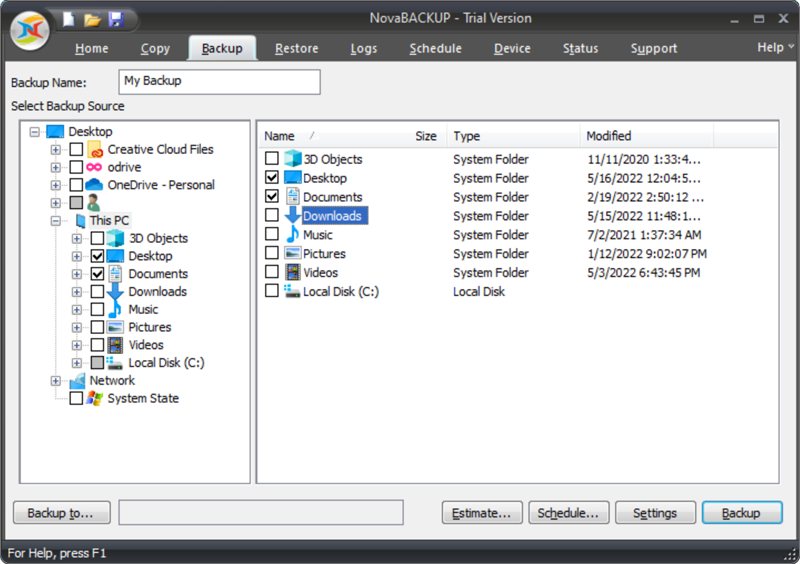
Navigate to the Backup tab and select the files/folders that you want to backup.
-
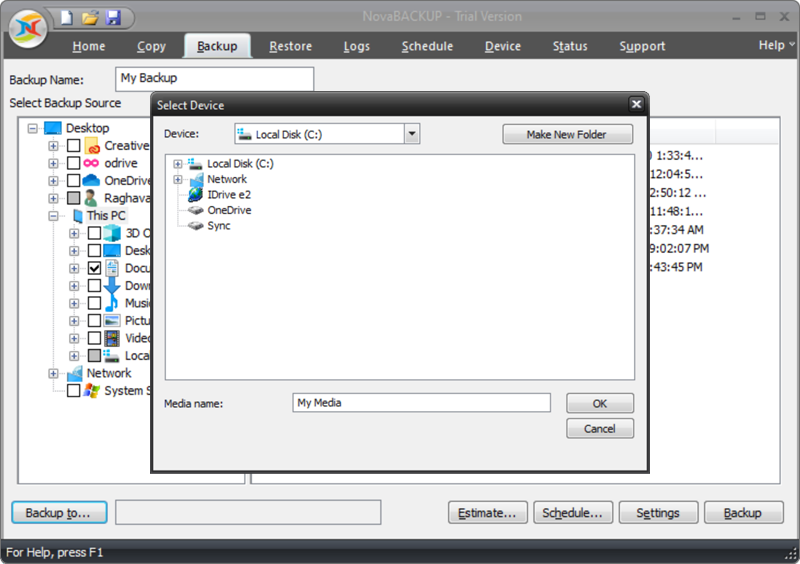
Select the storage device and click OK.
-
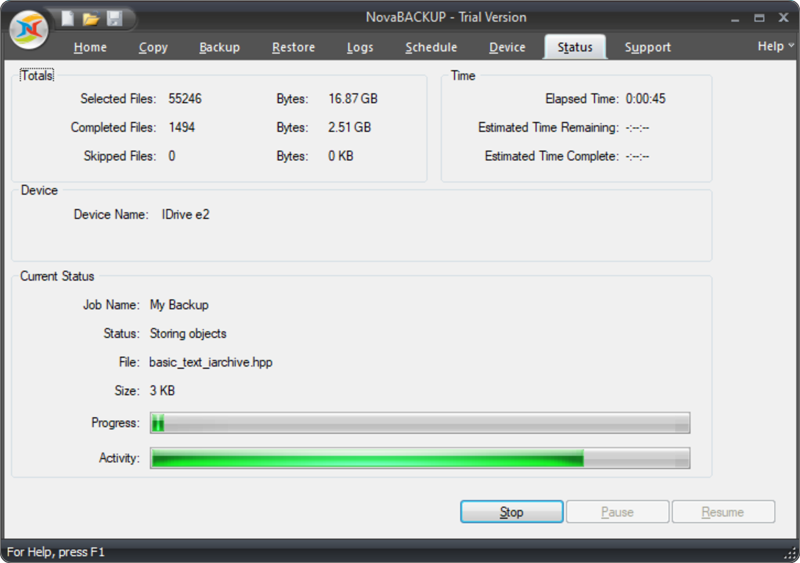
The Backup process will begin and you can view the progress in the Status tab.
Note: Data restoration is handled by your specific backup solution provider and is affected by multiple variables that are unique to your environment. For application-related enquiries/support, it is strongly recommended you seek guidance from the technical team of your backup solution provider.