Related Links
/n software S3 Drive
Access any cloud object storage compatible service by mapping it as a local drive using /n software S3 Drive. Integrate IDrive® e2 with /n software S3 Drive by creating Access Keys.
- Download S3 Drive from nsoftware and launch the application.
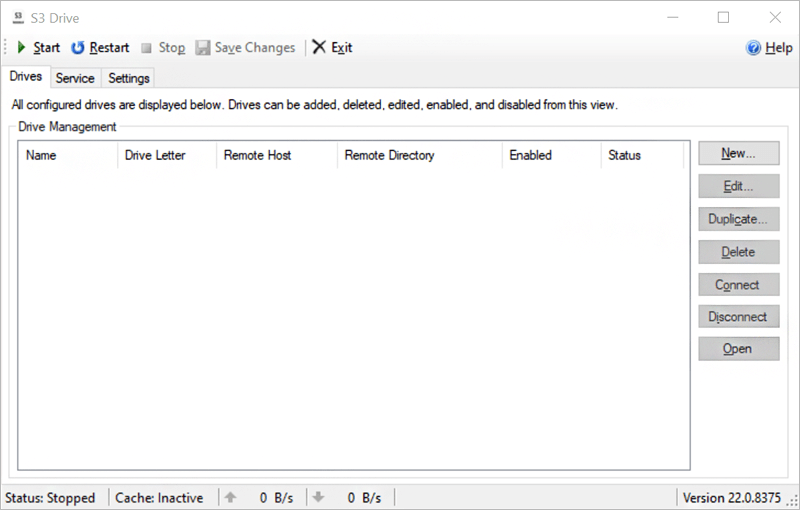
- Click New to open the settings windows. Add IDrive® e2 as the storage provider by clicking
 .
.
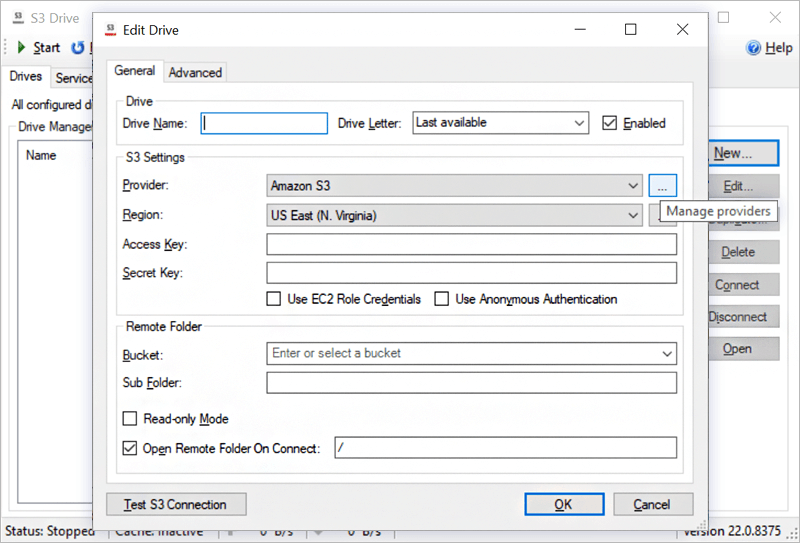
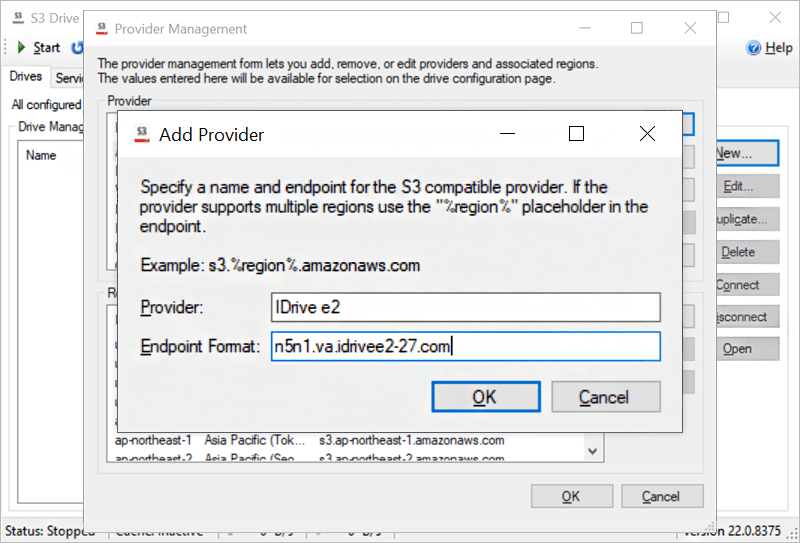
- In the Provider Management pop-up, click New and enter IDrive® e2 as the provider.
- Enable storage endpoint for IDrive® e2 dashboard, copy the e2 storage endpoint URL present beside Endpoint Format, and click OK.
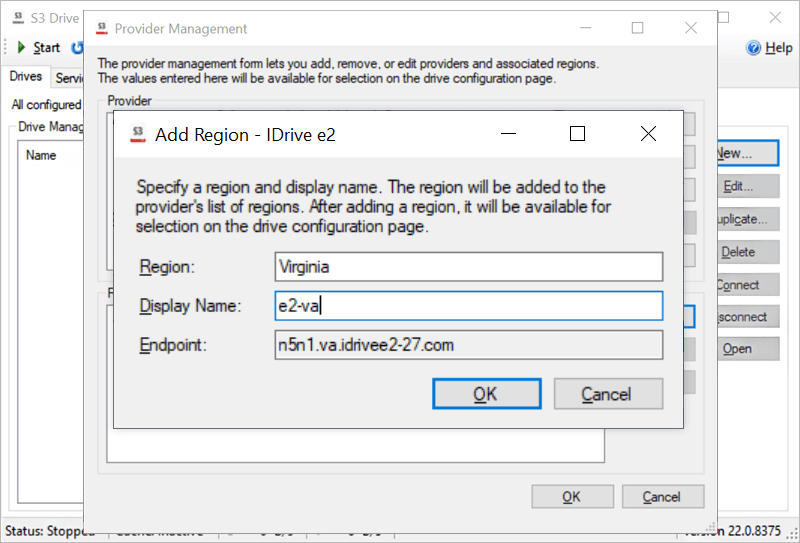
- Click New beside the region for IDrive® e2 provider to add a new region. Enter the region name and display name.
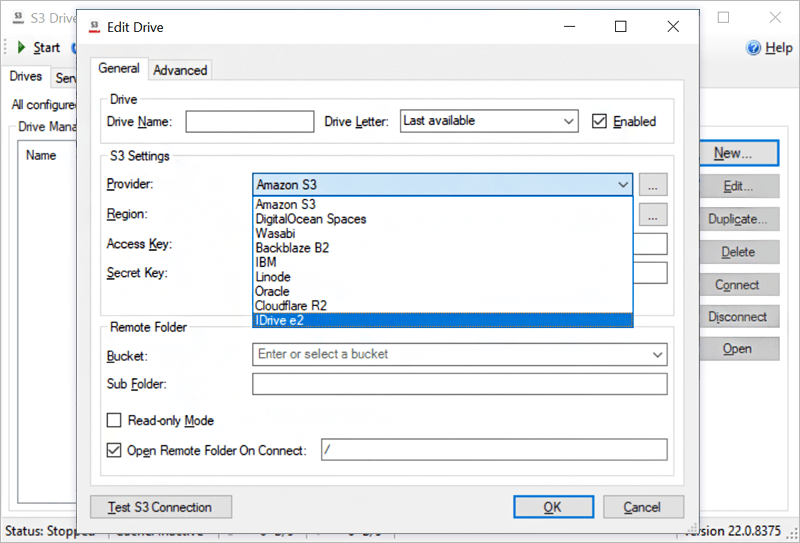
- Under the Provider dropdown, select IDrive® e2. Enter the Access Key, Secret Key, and Bucket Name obtained from your IDrive® e2 account.
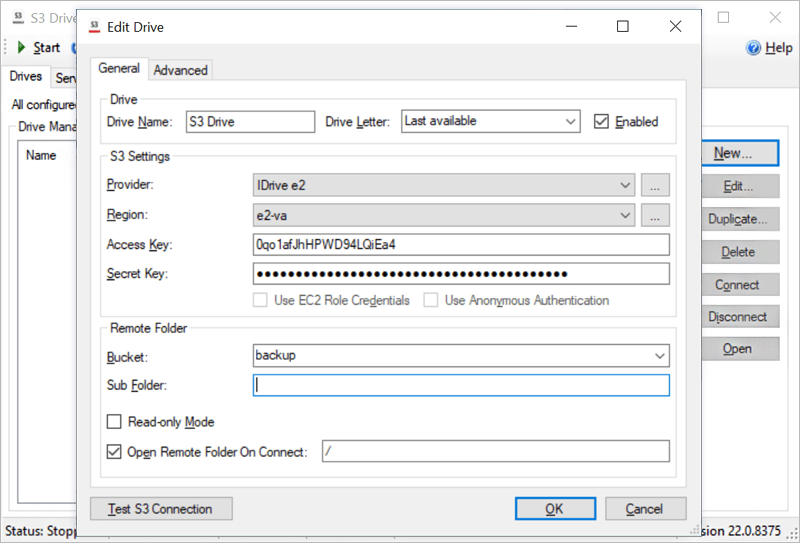
- Click Test S3 Connection and once it is successful, click OK.
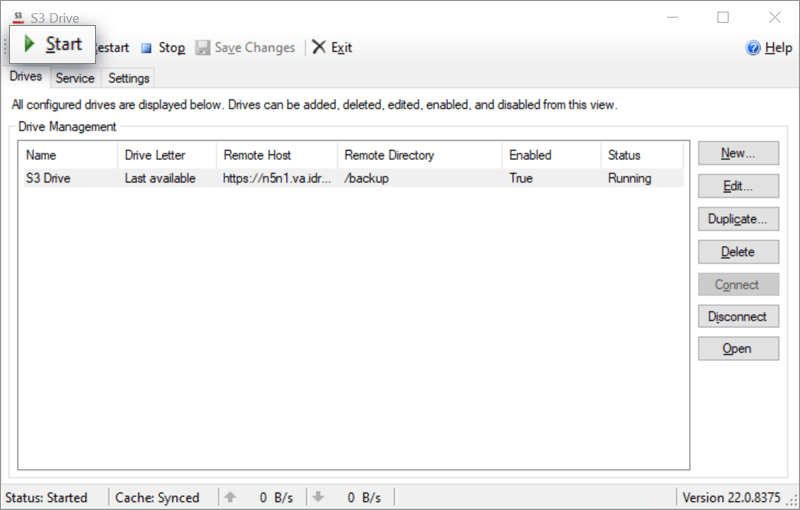
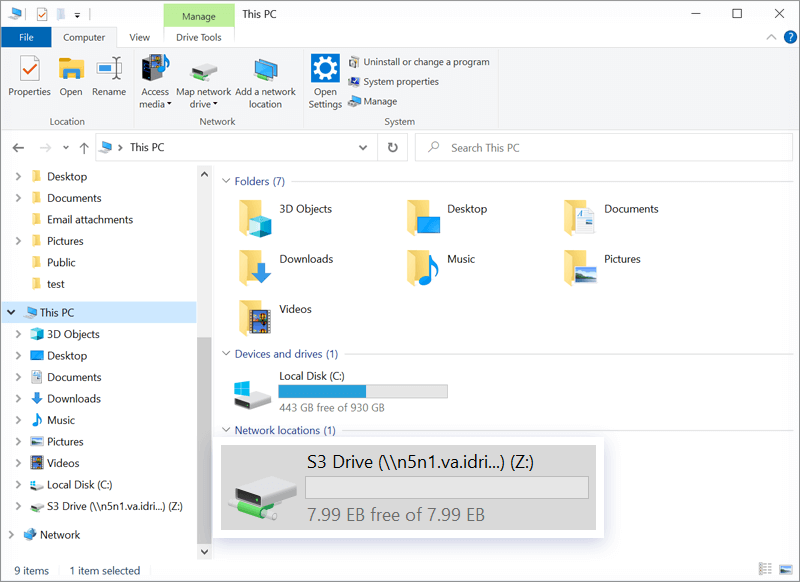
- Click Start to access the S3 Drive in the My computer section.